Appearance
EPICS DISPLAY MANAGER · QT 5 / QT 6
QtEDM documentation
Design control screens, monitor EPICS process variables, and bring existing MEDM displays into QtEDM.
01 / LEARNOpen your first display →Start with an ADL file and learn the edit and execute modes.02 / OPERATEWork with displays →Navigate control screens and choose an operating mode.03 / CONFIGUREConnect your display →Use macros, dynamic attributes, related displays, and expression channels.04 / LOOK UPFind a widget or option →Browse illustrated widgets, command-line syntax, and ADL extensions.
Start with an ADL display
After building QtEDM, launch the editor from the repository root:
sh
bin/Linux-x86_64/qtedmTo monitor an existing display, supply its path and choose execute mode:
sh
bin/Linux-x86_64/qtedm -x path/to/display.adlReplace the path with your own display. Open your first display explains macros, display lookup, and read-only operation. Use the executable for your platform on macOS or Windows.
Moving from MEDM? QtEDM reads the core ADL format and adds its own extensions. Review compatibility with MEDM before sharing extended displays with legacy clients.
Explore the widgets
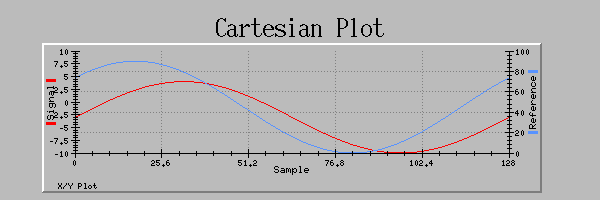
The widget catalog covers graphics, monitors, controllers, plots, and QtEDM-specific objects. Each entry describes its purpose and configuration, with screenshots where available.
Extend and maintain QtEDM
Read the plugin API, run the test suites, or consult the ADL reference. The standalone reference manual is also available offline through Help > Help Topics in QtEDM.